
Compare Connect Hub QR Box: SMS & App-Based vs Green Box & Red Box
Compare four QR Box approaches: Connect Hub SMS-based, Connect Hub app-based, Green Box, and Red Box. See the differences in payment flow, fees, account requirements, recurring costs, contracts, and connectivity before choosing a system.
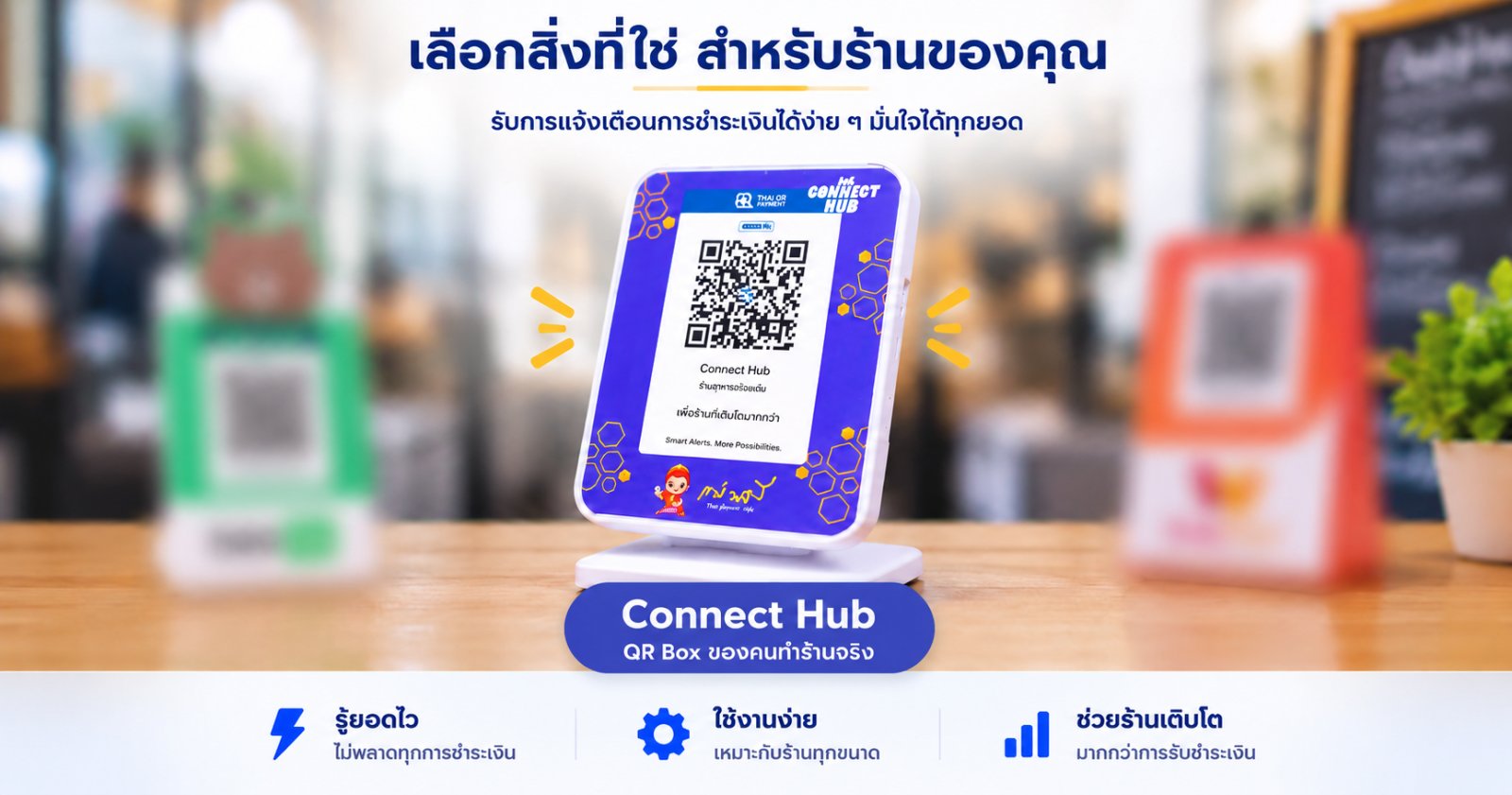
When comparing QR Boxes, the important question is not simply whether the device can announce a payment. Merchants should also consider where customer funds go, whether another account or wallet is required, what fees occur along the payment flow, and what recurring costs are involved. Connect Hub provides two primary payment-notification approaches: SMS-based and app-based. Both follow the same fundamental principle: customer payments go directly to the merchant's bank account. Connect Hub does not receive, hold, or act as an intermediary for the merchant's customer funds. Connect Hub SMS-Based The SMS-based system uses payment SMS information from supported banks to provide payment announcements through the QR Box. Merchants continue using their supported bank accounts without opening another payment wallet. Connect Hub charges no per-transaction fee and no bank-transfer fee because the payment goes directly to the merchant's bank account from the beginning. There is also no additional Connect Hub settlement charge associated with funds arriving outside normal settlement periods. The SMS approach may, however, involve bank SMS service costs of approximately THB 240–360 per year, depending on the banking service used. Connect Hub App-Based Connect Hub also provides an app-based approach that works with notifications received from supported merchant or banking applications through Connect Hub Merchant Manager. Customer funds still go directly to the merchant's bank account, just as with the SMS-based approach. This notification path does not depend on a bank SMS subscription, providing another option for merchants who prefer to use notifications from supported merchant applications. How do Green Box and Red Box differ? Based on the supplied comparison information, Green Box and Red Box are tied to their respective payment-provider systems. Merchants therefore use the provider's account or wallet, with funds subsequently transferred to their bank account. Green Box requires Green System, with a THB 59 monthly fee, a 1.5% transaction fee, and a THB 15 bank-transfer fee per transfer after four free transfers. Bank settlement is on the next business day, with a one-year contract. Red Box requires Red system, with an annual cost of THB 300, a 2.9% transaction fee after 100 transactions, and a THB 20 bank-transfer fee per transfer. The supplied comparison data states bank settlement within two hours and a one-year contract. The key distinction of Connect Hub is therefore broader than the physical QR Box. Merchants can choose between SMS-based and app-based payment notification while customer funds continue to go directly to the merchant's bank account. Connect Hub provides notification and merchant-automation functionality rather than acting as the payment intermediary. For merchants, a meaningful comparison should therefore look beyond the initial device price and consider the complete operating model: payment flow, transaction fees, transfer fees, recurring costs, additional account requirements, contractual commitments, and long-term flexibility.
Two Connect Hub approaches
Connect Hub SMS-Based
Uses payment SMS information from supported banks for QR Box announcements • Customer funds go directly to the merchant's bank account • No additional payment wallet required • No Connect Hub per-transaction fee • Bank SMS service costs may apply
Connect Hub App-Based
Works with notifications from supported merchant or banking applications through Connect Hub Merchant Manager • Customer funds go directly to the merchant's account • This notification path does not depend on a bank SMS subscription
Compare the flow of funds
Connect Hub
With both SMS-based and app-based approaches, customer payments go directly to the merchant's bank account. Connect Hub uses notification information for payment announcements and merchant automation without receiving or holding the merchant's funds.
Green Box
Uses Green System, with funds transferred from the provider system to the merchant's bank account. The supplied comparison data specifies settlement on the next business day.
Red Box
Uses Red System, with funds transferred from the provider system to the merchant's bank account. The supplied comparison data specifies settlement within two hours.
Compare fees and recurring costs
Connect Hub SMS-Based
No Connect Hub monthly fee • No Connect Hub per-transaction fee • No Connect Hub bank-transfer fee • Bank SMS service approximately THB 240–360/year depending on the banking service used
Connect Hub App-Based
No Connect Hub per-transaction fee • Customer funds go directly to the merchant's bank account • No bank SMS subscription is required for the app-based notification path
Green Box
THB 59/month • 1.5% LINE PAY transaction fee • THB 15 bank-transfer fee per transfer, with four free transfers
Red Box
THB 300/year • 2.9% transaction fee after 100 transactions • THB 20 bank-transfer fee per transfer
Accounts, contracts and connectivity
Connect Hub
Uses supported bank accounts or merchant applications depending on the selected approach • No contract • Wi-Fi available with the Wi-Fi QR Box • 4G model allows the user to provide the SIM
Green Box
LINE PAY required • One-year contract • No Wi-Fi • Uses the SIM specified for the service
Red Box
TrueMoney required • One-year contract • No Wi-Fi • Uses the SIM specified for the service
Compare the system behind the QR Box, not only the box price
Consider where customer funds go, whether another account is required, what fees apply, and whether SMS-based or app-based notification better fits your operation.
Related Articles
When a Payment Slip Looks Real but the Money Doesn't Match: A Merchant's Fake Slip Experience
A merchant shared that his shop had recently been hit by a fake payment slip. After checking past transactions, he discovered it had happened multiple times because staff relied on the slip shown by the customer instead of confirming the actual incoming payment. The case highlights an important distinction: seeing a payment slip is not the same as confirming that the money was received.
How Should Stores Manage Payment Alerts from Multiple Banks?
Many businesses now accept payments from multiple banks for customer convenience, but managing payment notifications across several accounts can become difficult and confusing.
Why Did the Customer Send a Slip but the Money Never Arrived?
Many merchants experience situations where customers send transfer slips but the actual money never arrives. This article explains common causes and how to reduce risks from fake slips and missed payment alerts.