
1. How Often Do You Receive Payments?
The volume and frequency of incoming payments can influence which notification approach is most suitable.
Compare SMS QR Boxes, In-App systems, phone alerts, Bluetooth speakers, and other payment-notification approaches to find the setup that best fits your shop.
Every shop has a different payment volume, workflow, and operating environment, so a payment-notification setup that works well for one merchant may not be the best fit for another. This page brings together practical comparisons of payment-notification systems and QR Boxes, including SMS-based QR Boxes, In-App systems, phone alerts, Bluetooth speakers, and other provider models. If you are choosing a system for your shop, start with the comparison closest to your actual operating situation, then review differences in notification methods, ongoing costs, multi-bank usage, and day-to-day merchant workflow before deciding.
The right system depends not only on the device, but also on how your shop receives payments and operates day to day.
The volume and frequency of incoming payments can influence which notification approach is most suitable.
If your shop receives payments through multiple banks, consider how each system fits that operating workflow.
Consider hardware cost, ongoing expenses, and any supporting equipment required instead of comparing only the purchase price.
Start with our buyer’s guide to see whether SMS, In-App, mobile audio, or another payment alert approach best fits your payment volume, banks, and shop workflow.
Choose the question closest to your shop’s actual situation to compare differences, costs, and usage approaches.
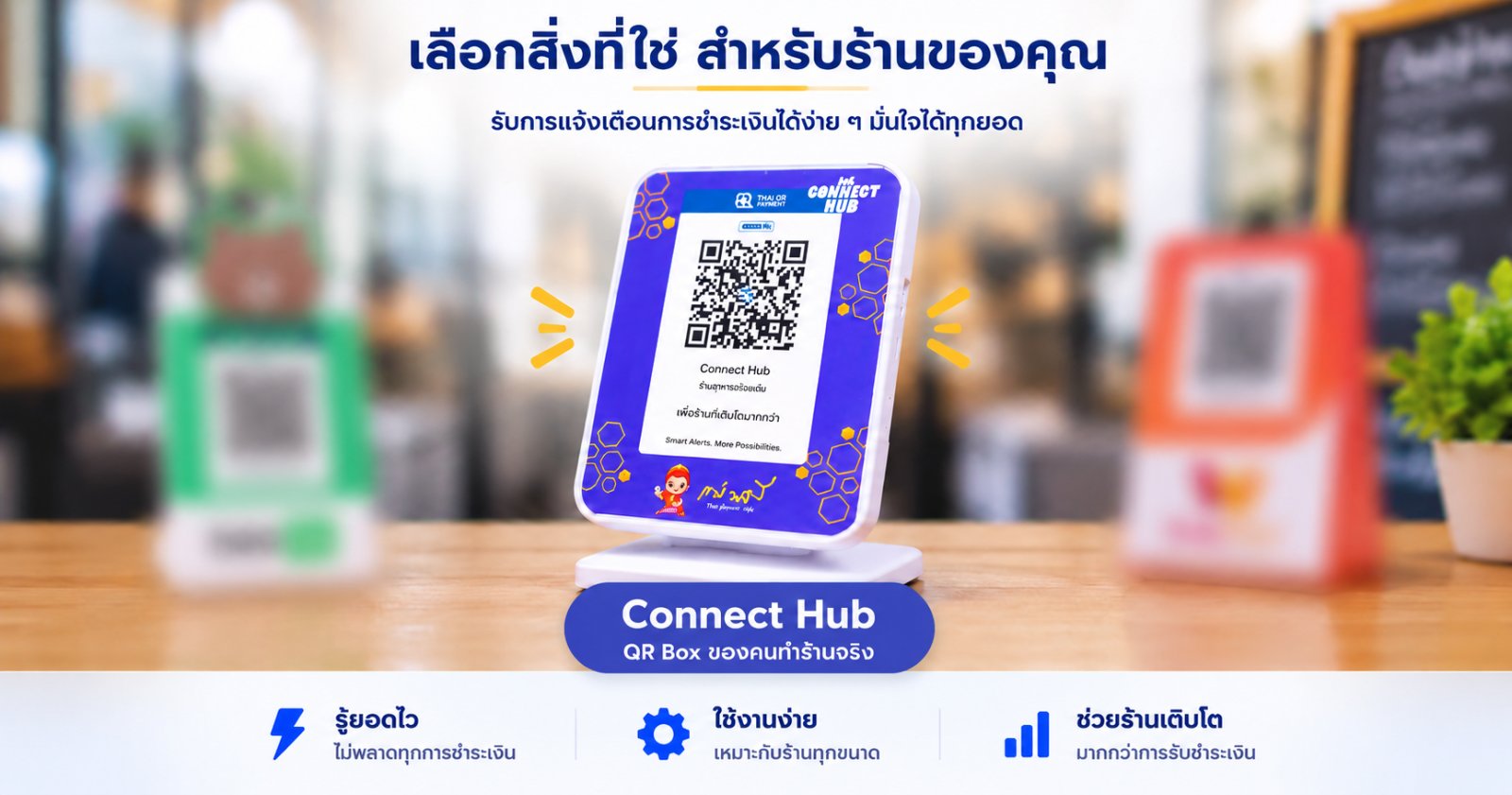
Compare four QR Box approaches: Connect Hub SMS-based, Connect Hub app-based, Green Box, and Red Box. See the differences in payment flow, fees, account requirements, recurring costs, contracts, and connectivity before choosing a system.
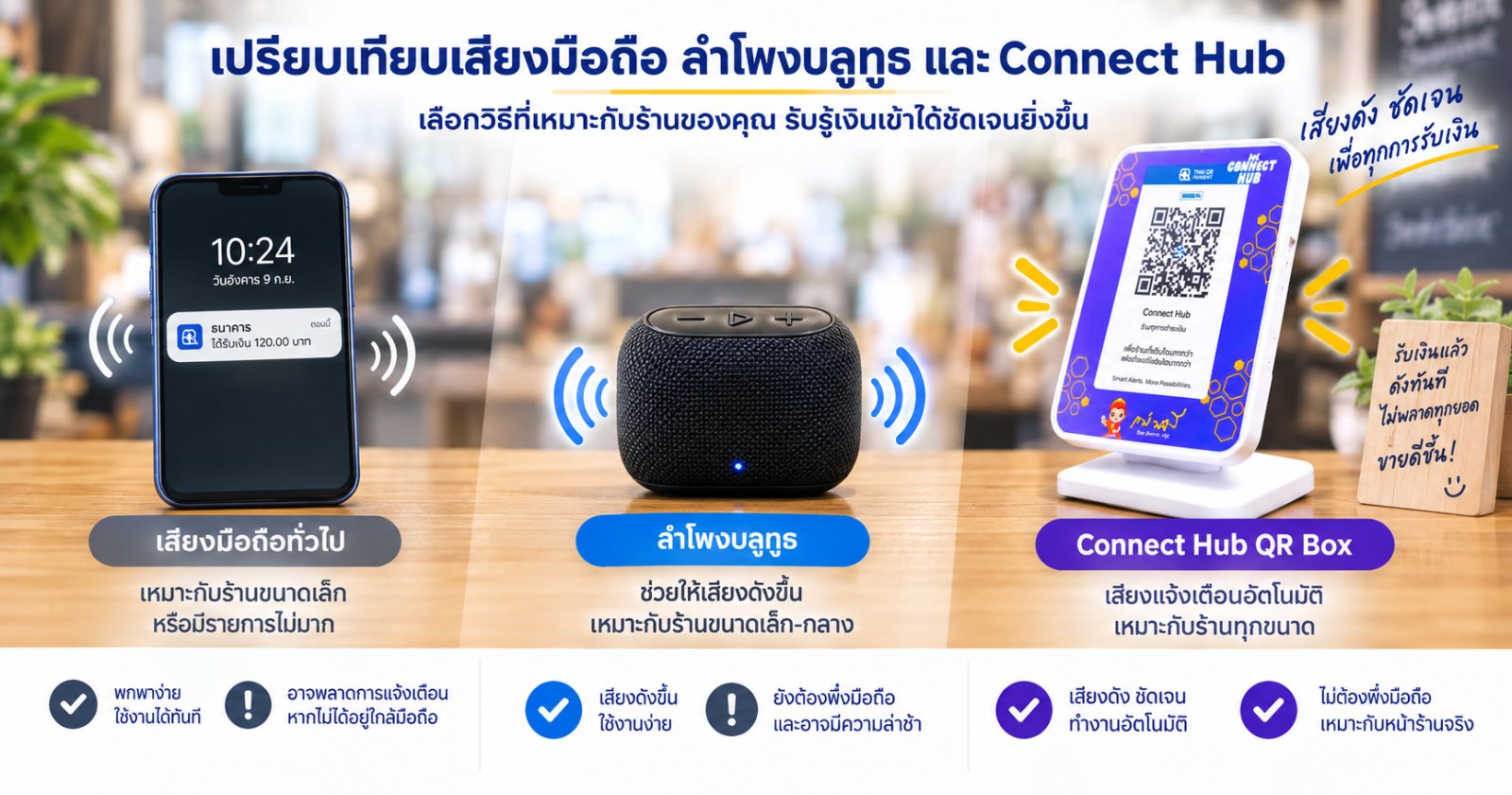
Compare phone notifications, Bluetooth speaker setups, and the Connect Hub system for merchants who want clearer and more practical incoming-payment awareness at the point of sale.
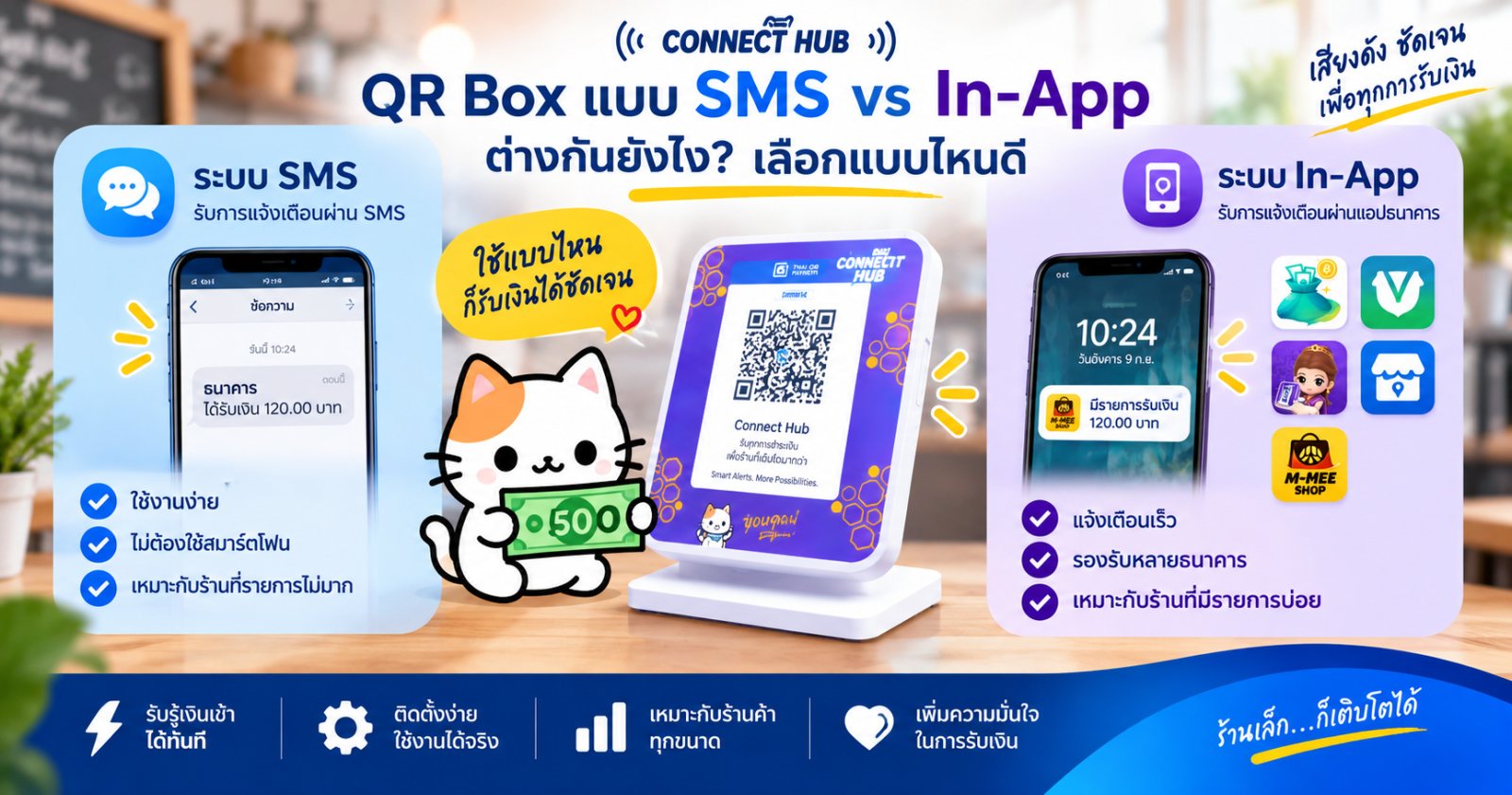
Both QR Box options announce incoming payment amounts 🔊, but they differ in notification source, speed, bank SMS fees, and Android phone requirements. Here is a simple comparison to help you see which setup fits your shop.
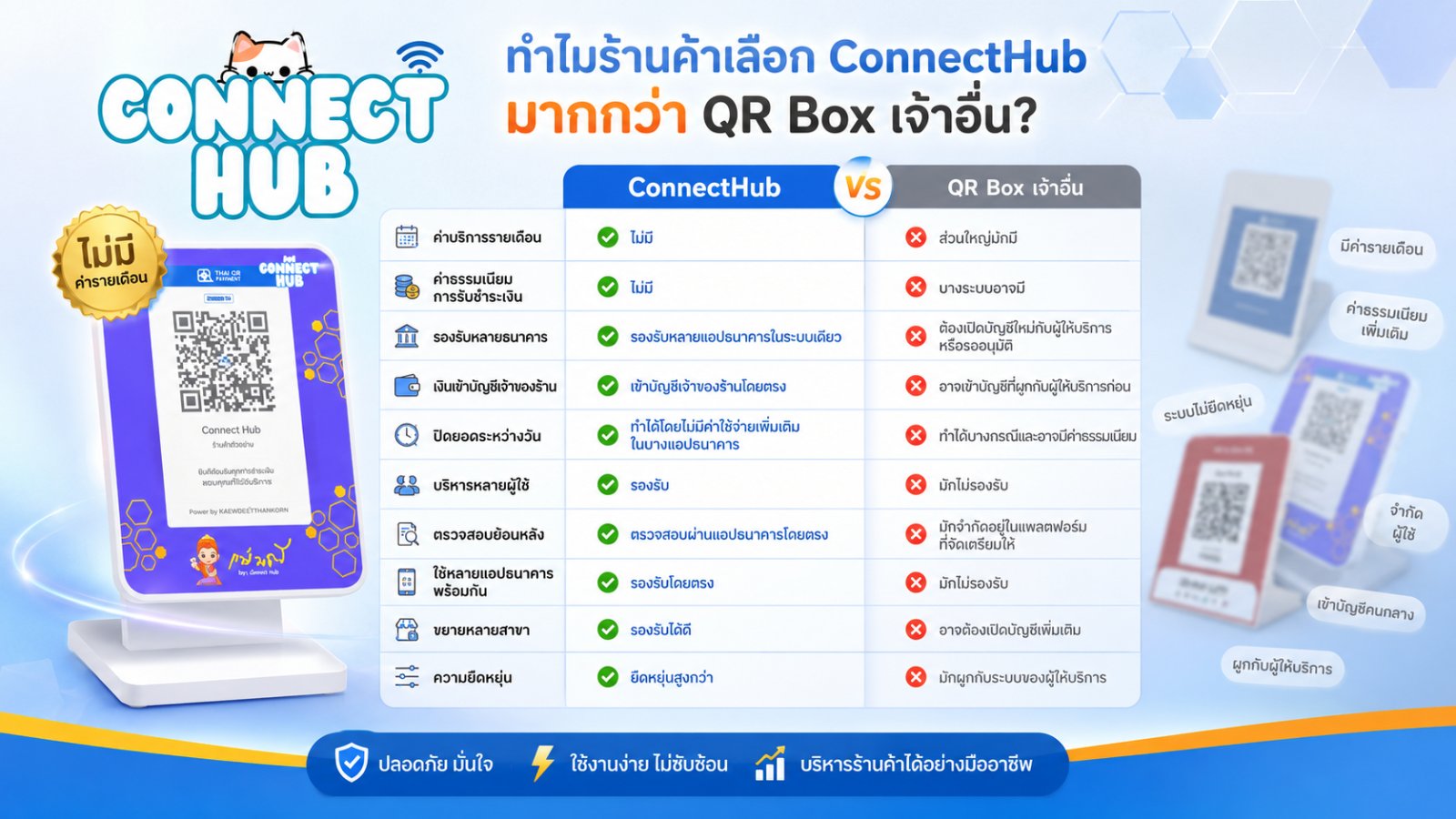
A practical comparison between the ConnectHub app-based system and other QR Box providers, covering monthly fees, transaction charges, multi-bank support, direct bank deposits, user management, and long-term flexibility.