
Connect Hub Automatic Payment Receipt Printing System
Automatically print payment receipts from supported merchant banking app notifications using Connect Hub Merchant Manager and a compatible thermal printer. Keep physical records of incoming payments without manually initiating each print.
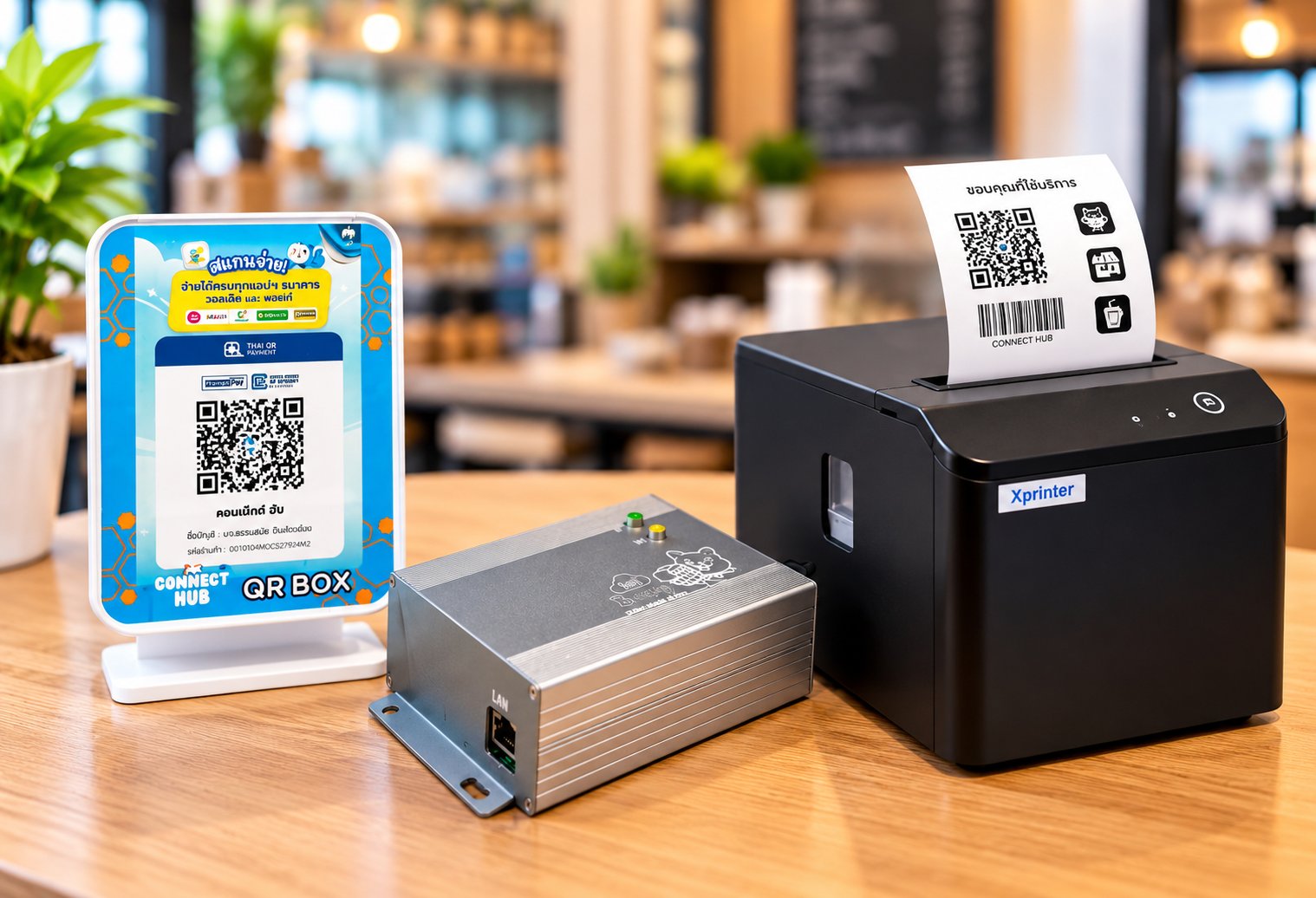
Automatically Print Receipts When Payments Arrive
When a supported merchant banking application receives an incoming payment notification, Connect Hub can automatically instruct a compatible thermal printer to print a payment record. This reduces manual recording and individual print operations.
Benefits of Automatic Payment Receipt Printing
Automatic Printing
Once Connect Hub receives a supported payment notification, it can initiate receipt printing without staff manually printing each transaction.
Physical Transaction Records
Provides paper records of incoming payment notifications for reference and end-of-day reconciliation.
Works Alongside QR Box
Can complement Connect Hub audible payment alerts by providing both voice notifications and printed transaction slips.
Extends the Merchant App System
Uses payment notification information from Connect Hub Merchant Manager without changing the merchant's existing payment collection method.
How Automatic Receipt Printing Works
1. Customer Makes a Payment
The customer transfers money directly into the merchant's bank account using the existing payment method.
2. Merchant Banking App Sends a Notification
A supported merchant banking application receives an incoming payment notification, which is made available to Connect Hub Merchant Manager.
3. Payment Information Is Forwarded
Connect Hub sends the payment information to the configured printer controller.
4. Receipt Is Printed
The compatible thermal printer automatically produces a paper record of the incoming payment.
Connect Hub Thermal Printer Controller
The Connect Hub printer controller receives printing instructions and communicates with a compatible thermal printer over a local network. The prototype has been tested with the Xprinter XP-T80Q using LAN connectivity. The thermal printer is sold separately, and compatibility should be verified before purchase.
Requirements and Important Considerations
Merchant Banking App System Required
Requires a compatible Android phone running Connect Hub Merchant Manager and supported merchant banking applications.
Compatible Thermal Printer Required
The system has been tested with the Xprinter XP-T80Q over LAN. Other printer models require compatibility verification.
Connectivity and Device Availability
Successful printing depends on the availability of the phone, internet connection, printer controller, and thermal printer.
Printed Records Are Notification-Based
Printed slips contain information received through supported payment notifications. They are not official bank confirmations or tax invoices.
Interested in Adding Automatic Receipt Printing?
Contact Connect Hub to discuss printer controller options, supported thermal printers, and integration with Connect Hub Merchant Manager or QR Box.